What Registration Software Does — and Does Not — Do for a Race Director
Registration platforms like RunSignUp, Race Roster, and Active handle the digital paperwork of your race — but they do not plan your event, recruit your volunteers, or manage your race-day operations. Understanding the boundary between what software does and what you still need to do yourself prevents the false confidence that sinks first-time events.
Quick Answer
Registration software handles online signups, payment processing, participant data management, email communication, and basic reporting. It does not handle course design, permit applications, volunteer recruitment, sponsor outreach, vendor coordination, race-day timing, or post-event financial reconciliation. You still need a planning system for everything the software cannot do.
What Registration Software Does Well
Online Registration and Payment Processing
The core function of any registration platform is letting runners sign up online and pay securely. Good platforms offer:
- Customizable registration forms — Collect name, age, gender, shirt size, emergency contact, and waiver agreement
- Secure payment processing — Credit card and sometimes PayPal or Apple Pay
- Pricing tiers — Early-bird, regular, and late registration with automatic price changes on scheduled dates
- Discount codes — For sponsors, volunteers, VIPs, or promotional campaigns
- Team and group registration — Let runners create or join teams during signup
Participant Data Management
Once runners register, the platform stores and organizes their data:
- Exportable participant lists — Download to CSV or Excel for bib assignment and packet assembly
- Searchable database — Look up individual registrations by name or email
- Automatic bib number assignment — Sequential or random assignment with the ability to override
- Shirt size tracking — Automatic tally of sizes for your shirt order
Email Communication
Most platforms include built-in email tools to communicate with registered runners:
- Confirmation emails — Automatic receipt and race details sent immediately after registration
- Bulk email — Send updates, course maps, and race-day instructions to all or filtered groups of participants
- Reminder sequences — Scheduled emails leading up to race day
Basic Reporting
Platforms provide dashboards with registration counts, revenue totals, and demographic breakdowns:
- Registration count by date — Track signup momentum
- Revenue and fee breakdown — See gross revenue, platform fees, and net income
- Demographic summaries — Age, gender, and geographic distribution of registrants
Waiver Management
- Digital liability waivers — Participants sign during online registration, stored in the platform
- Custom waiver text — Upload your own waiver language or use platform templates
What Registration Software Does Not Do
Course Design and Measurement
No registration platform helps you design, measure, or certify your race course. You still need to:
- Map your route using Google Maps, MapMyRun, or a measuring wheel
- Measure the exact distance (a 5K is 3.1 miles)
- Identify intersection control points and water station locations
- Submit the course map with your permit applications
Permits and Legal Compliance
The platform does not know your local permit requirements. You must:
- Research and apply for park use permits, road closure permits, and special event permits
- Obtain liability insurance with your venue named as additional insured
- Comply with local health department regulations if you are serving food
- File any required tax or nonprofit documentation
Volunteer Recruitment and Management
Registration software handles participants, not volunteers. You still need to:
- Create a separate volunteer sign-up process (Google Forms, volunteer platform, or manual list)
- Assign volunteer roles and shift times
- Send volunteer communications and briefing materials
- Track volunteer check-in on race day
Sponsor Outreach and Management
No platform manages your sponsor pipeline. You must:
- Create sponsor decks and pricing levels
- Pitch local businesses and collect commitments
- Track logo submissions and placement on shirts, banners, and signage
- Send post-race reports and manage renewals
Vendor Coordination
The platform does not manage your vendors. You must:
- Get quotes and sign contracts with timing companies, porta-potty rentals, tent rentals, and food vendors
- Coordinate delivery times and setup logistics
- Track deposits, balances, and payment schedules
Race-Day Operations
Registration software stops at the digital sign-up. On race day, you still need:
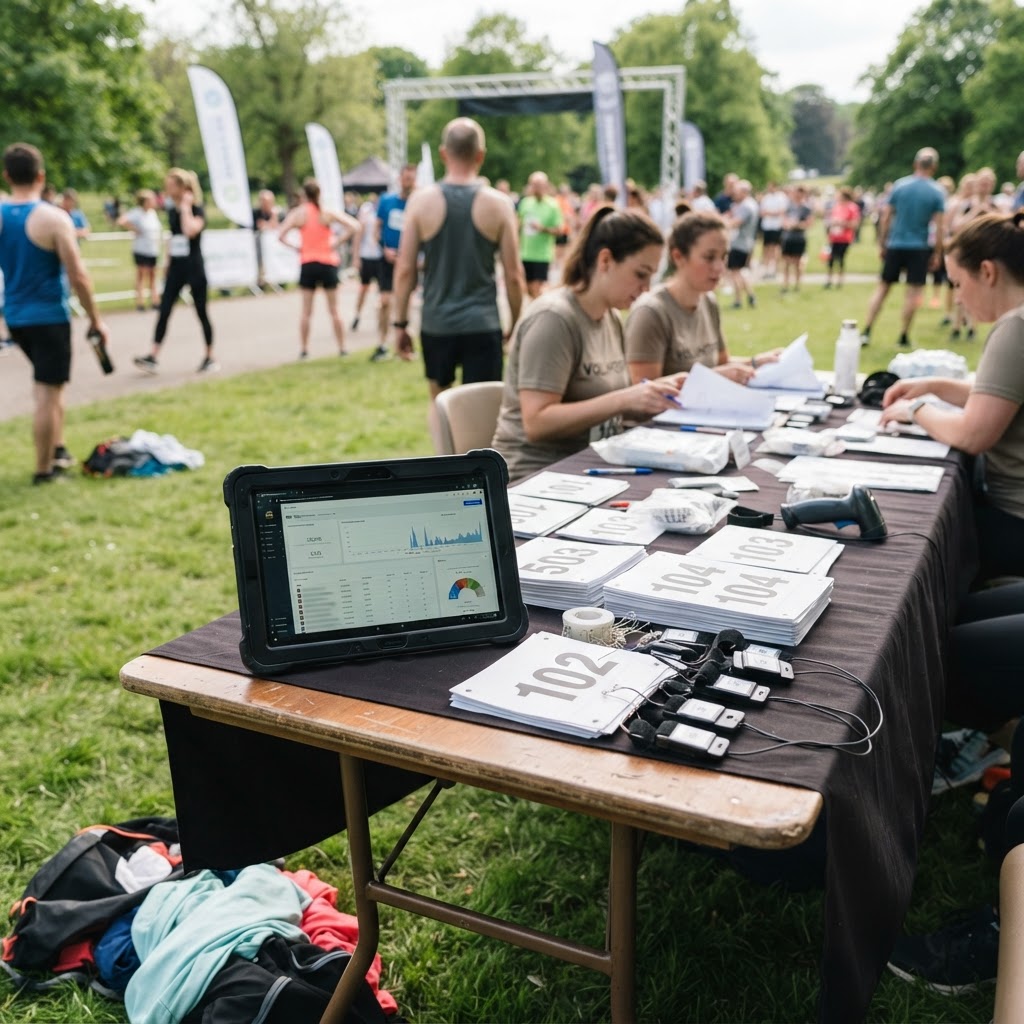
- Packet pickup and bib distribution — The platform gives you the list, but you hand out the packets
- Timing and results — Unless your platform includes integrated timing (most do not)
- Course marshals and water stations — People, not software
- Awards ceremony — Your announcer, your PA system, your script
- Traffic and parking control — Volunteers and signage
Budget Planning and Break-Even Analysis
Platforms show you registration revenue, but they do not:
- Track expenses against your budget
- Calculate break-even registration price
- Model pricing scenarios and profit margins
- Track sponsor revenue and in-kind donations
Marketing and Promotion
The platform hosts your registration page, but it does not:
- Build your social media following
- Write and send press releases
- Create marketing content (photos, videos, graphics)
- Manage your email marketing to non-registrants
The Gap Between Registration and Race Management
Here is the core insight: registration software is a tool, not a system. It handles one piece of the puzzle — digital signups and payments — but leaves you to manage the other 80 percent of race organizing manually, across spreadsheets, email threads, and sticky notes.
This is why first-time organizers who buy registration software and assume they are "all set" still feel overwhelmed. The software solved one problem but created a false sense of completion.
What You Actually Need Beyond Registration Software
A Planning System
A structured way to track every task, deadline, and owner across the full planning timeline — from 12 months out through race day.
A Budget Tool
A spreadsheet or app that tracks all income (registration, sponsors, donations) and all expenses, with a break-even calculator and contingency planning.
A Volunteer Management Tool
A way to recruit, assign, and communicate with volunteers — separate from your participant registration.
A Sponsor Tracker
A CRM or spreadsheet for sponsor contacts, commitment levels, benefit delivery, and renewal tracking.
A Race-Day Command Center
A single document or tool with every contact, timeline, role assignment, and contingency plan for race day.
A Vendor Tracker
A way to track vendor quotes, contracts, deposits, delivery times, and contact information.
How to Bridge the Gap
You have two options:
Option 1: Stitch together free tools. Use a registration platform for signups, Google Sheets for budget, Google Forms for volunteers, and a notebook for race-day planning. This works but requires manual coordination and creates data in multiple places.
Option 2: Use an integrated planning system. A tool like Race Director Toolkit combines budget planning, volunteer management, sponsor tracking, vendor coordination, marketing calendars, and race-day command in one place — alongside your registration platform. You still use RunSignUp or Race Roster for signups, but the planning system handles everything else.
Bottom Line
Registration software is essential — you need it to process signups and payments. But it is one tool in a larger toolkit. The race director's job is to plan the event, coordinate people and vendors, and execute on race day. No software does that for you.
The Race Director Toolkit planning system fills the gap between registration and race management, with built-in tools for budget, volunteers, sponsors, vendors, marketing, and race-day operations.
Next step: Get the free 5K planning checklist to see every task registration software will not handle for you.
Free checklist for first-time race directors
If you are organizing your first 5K or fun run, start with the free 5K Planning Checklist. Spot the gaps that create stress later: budget surprises, missing volunteers, sponsor deadlines, shirt timing, and race-day communication.
Build the full race plan
Race Director Toolkit turns the checklist into a working plan — budget calculator, sponsor tracker, volunteer planner, vendor coordination, marketing calendar, and race-day command center.
- Race Planner — $147 one-time
- Planner + AI Assistant — $247 one-time
- 10 guided planning modules
- Budget & break-even planner
- Sponsor tracker, volunteer planner, vendor tracker